Aela Programming Language
Aela is a compiled systems language. It checks arithmetic, makes borrowing explicit, treats errors as values, and runs async and parallel code safely. Its compiler is written in Aela (no C or LLVM), and makes native programs for Linux, macOS, Windows and bare-metal AArch64.
6 Reasons to Use Aela
-
01
Small Language
Aela has one clear way to do most things; so there are fewer patterns to learn. No macros, no inheritance, no exceptions, no overloading and no implicit conversions. Code reads the same from one author to the next.
-
02
Native Formal verification
Write what a function needs and what it promises with
#requiresand#ensures, and what a loop keeps true with#invariant.aec --verifyproves them, and proves that every sum, index and cast stays in range. No extra tools are needed. -
03
Native Async & Parallelism
asyncandawaitare part of the language. The compiler proves that parallel tasks cannot race, and every task you start must be awaited or detached. When async code fails, the report shows the chain of tasks that were waiting on it. -
04
Large standard library
HTTP and TLS, JSON, regular expressions, compression, crypto, a terminal UI kit and more. It works on bare metal, inside a C program, and on Linux, macOS and Windows. On bare metal, a module that needs an operating system is refused when you compile.
-
05
Designed for Audits
There are no exceptions, no unwinding and no operator overloading. Every error a function can return is in its signature, and the caller must handle it. Every place where async code can pause is marked with
await. -
06
Verifiable Toolchain
The compiler is built from a small seed of 8,600 lines of assembly. Each release is built two separate ways, and both must give the same result. You can build the compiler yourself from its assembly source, and every program records what built it (
aec provenance).
More About the Language
-
Checked arithmetic
Overflow, division by zero and indexing past the end stop the program instead of corrupting data. If you want numbers to wrap around, you say so with
+%,-%and*%. -
Types that know values
A type can limit its values, like
{ p: i64 where p <= 100 }, or carry a size, likeBuf(N). Then the compiler can prove an index is safe and skip the check at run time. -
Regions and arenas
Inside a
reserveblock, allocate as much as you like. Everything is freed at once when the block ends. The compiler makes sure nothing outlives the block. There is no garbage collector and no manual free. -
Memory safety without lifetimes
Every reference names the variable it borrows from. The compiler uses that to stop dangling references, use after move, and two writers changing the same data. You never write lifetimes in your code.
-
Seven targets
Linux, macOS and Windows on x86-64 and AArch64, plus bare-metal AArch64. The compiler does not use LLVM. It writes plain assembly that any assembler can build.
-
C when you need it
Call C functions with
extern fn, and say what they touch, so the race checks cover them too. Aela code can also run inside a C program.
Download Aela 2.2.2
The compiler, the runtime and the standard library, under the MIT license. To build programs you also need an assembler and a linker: as and ld on Linux, clang on macOS, or LLVM's clang and lld-link on Windows, where aec writes the assembly and you link it.
Each package has a SHA256SUMS file and a signature, which you can check with ssh-keygen -Y verify -n aela-release. The assembly package has the compiler for every target as source code, so you can build it yourself instead of trusting our binary.
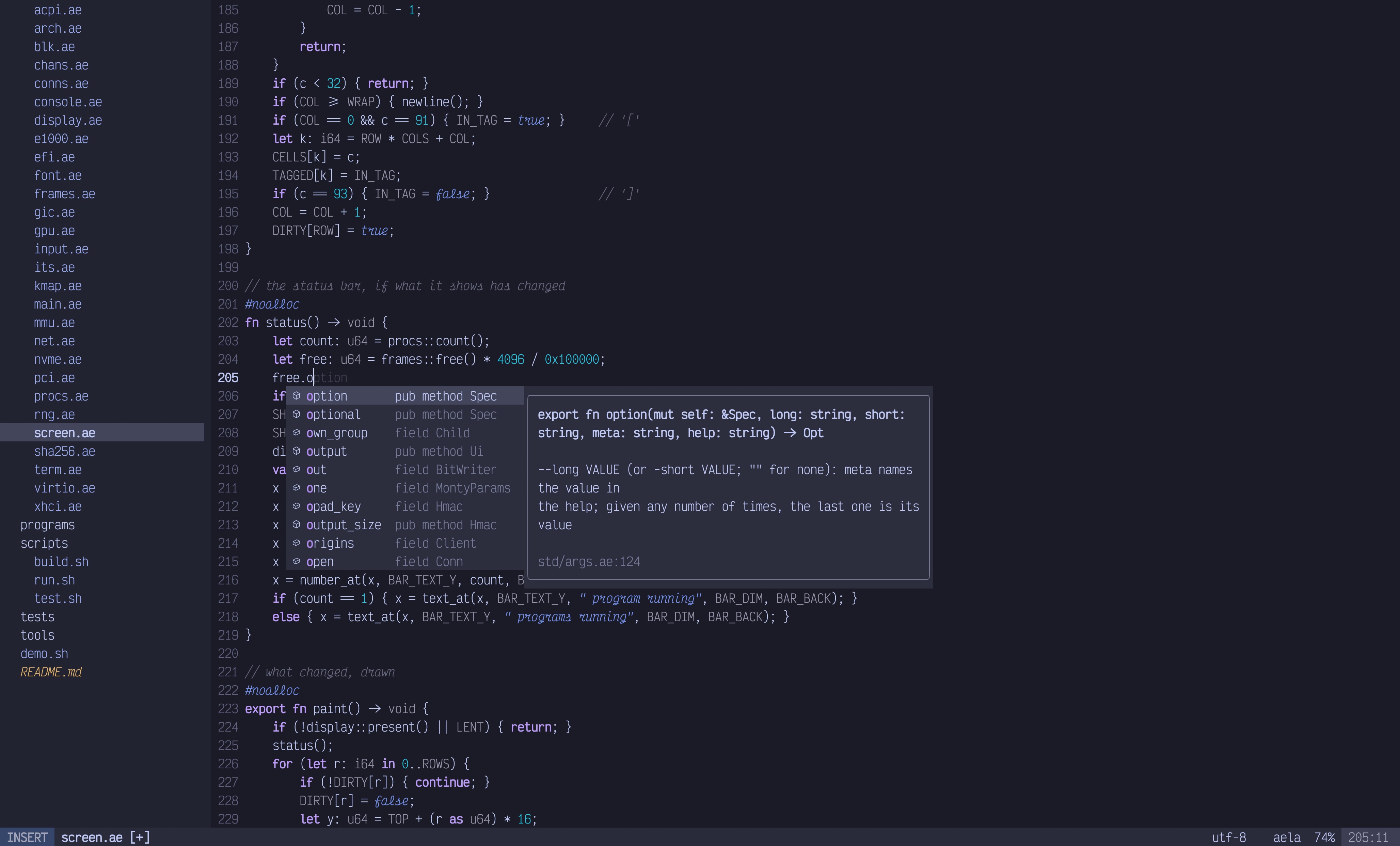
Highlighting, errors as you type, and go to definition in VS Code, Neovim, Vim and IntelliJ, through aec lsp. Builds and errors in Xcode.